HuBMAP Antibody Validation Report Repository: Uploading new reports
The HuBMAP Antibody Validation Report Repository is a searchable repository of antibody validation reports (AVRs) used within the HuBMAP Consortium during the execution of the various assays performed to generate data.
To upload reports to the system you must be a member of the HuBMAP Consortium with write access for any given data provider group. If you are a Consortium member without access you can request access by sending a message to help@hubmapconsortium.org requesting to be added to your Consortium Component’s Globus group.
To upload antibody validation reports go to the AVR Upload Page (login required). On the AVR Upload Page you must submit a tsv file and AVR documents.
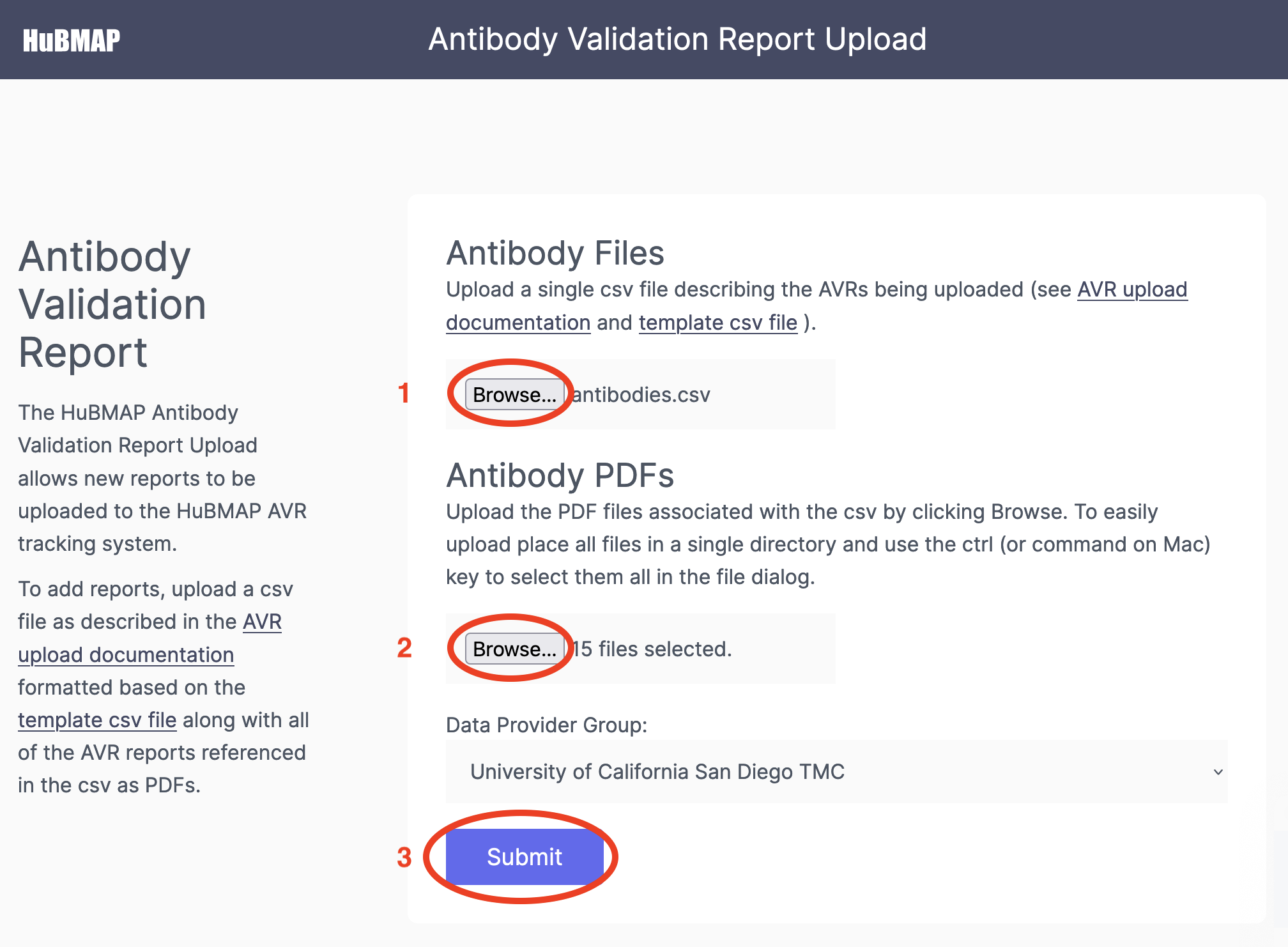
- A tsv file with one row per report to upload with required. More detail can be found on the AVR header/metadata page. Use the template tsv file to create a tsv file. See the example AVR tsv file. These files can be structurally validated with the CEDAR Metadata Validator before uploading in the AVR System. Further validations will occur during upload to the AVR System.
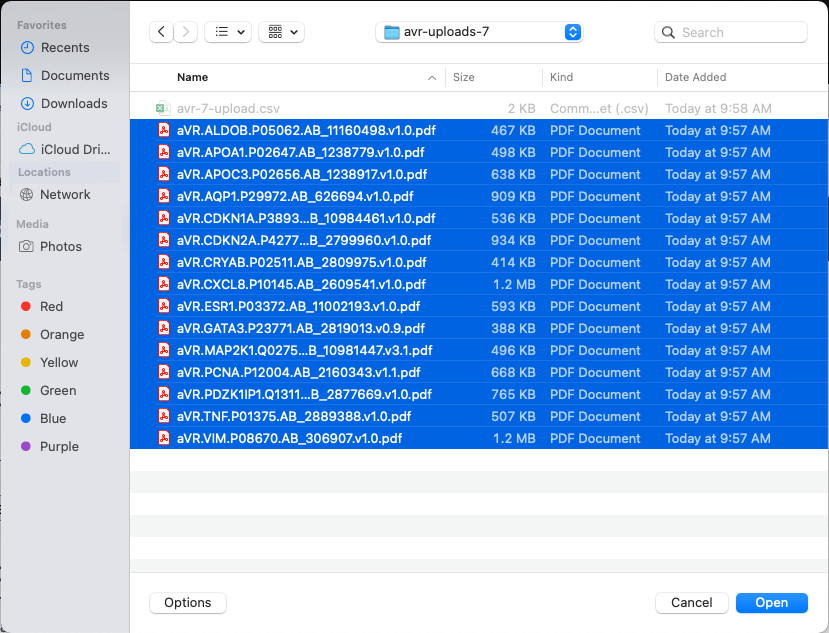
- The associated antibody validation reports saved as PDFs. The AVR PDFs associated each row in the tsv file must be selected for upload together with the PDF browse dialog box. You can use the shift and ctrl (command on Mac) buttons to select multiple files in the file dialog box (as seen below).
- After selecting the tsv and PDFs for upload click the Submit button. An example AVR PDF document can be found here.